* Check your pre-requisites:
You should have an active AUBnet account:
Click here to activate your AUB Account
You should have a supported Operating System with an operational Network Card
WIN 7 and above-MAC OS 10.8 and above-Android 4.4 and above-IOS 9 and above-Linux (Tested on UBUNTU 16.04)
- Configure Your Device:
1-Connect to AUBdot1X Wireless Network

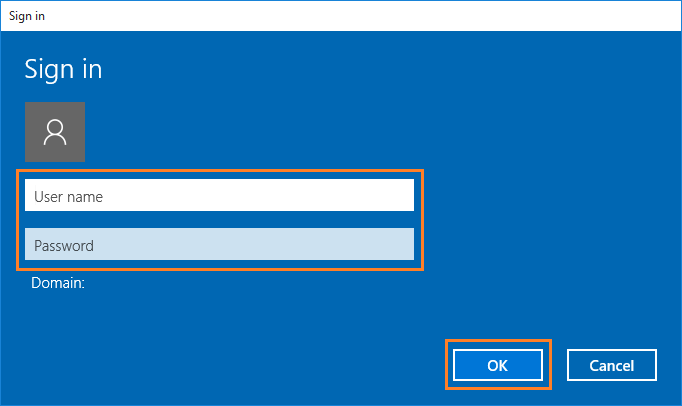
2-Enter your AUBnet username (i.e XYZ00) and password
Configuration Guides:
Click here for Android devices
Click here for iPhone devices
Click here for Mac devices
Click here for Windows 7
Click here for Windows 10
- Support
If you are having problems with the configuration, please visit one of the nearest support desks for getting help.
Name
| Location
| Phone number
| Location
|
| FAFS Faculty of Agriculture
| WING A Dean's office Room 110G
| 4425
| AUB Working Hours
|
| OSB Olayan School of Business
| Room 367
| 2260
| AUB Working Hours
|
| SFEA Maroun Semaan Faculty of Engineering & Architecture
| Building: Raymond Ghosn Bldg./Room 307.1
| 3435 - 3436
| AUB Working Hours
|
| SFEA Maroun Semaan Faculty of Engineering & Architecture
| Building: SRB 2nd Floor / Room: 209
| 3420
| AUB Working Hours
|
IT Audio Video and Multimedia
| Building Van Dyck
| 2243
| AUB Working Hours
|
| FHS Faculty of Health Sciences
| Building: Van Dyck / Room: 105-C
| 4611
| AUB Working Hours
|
Van Dyck Computer Lab
| Building: Van Dyck, Computer Lab
| 2241
| AUB Working Hours
|
| IT Helpdesk AUB
| Building: Van Dyck Basement
| 2260
| AUB Working Hours
|
| IT Helpdesk AUBMC
| Building: MAB/ 2nd Floor
| 7750
| AUBMC Working Hours
|
Important Notes:
* IT HelpDesk agents will only provide help with the configuration once students have tried to configure their devices themselves.
* IT Service Desk does not support personal devices except in configuration.
* Configuration for wirless devices is done according to the manuals present online
* If you have forgotten your AUBnet password, you can reset it by going to one of the above offices. Make sure you have your AUB ID with you.
* If you have forgotten your AUBnet username, you can look it up in the AUB Directory website.
* AUBsis ID and pin code are different from your AUBnet username and password.